Lockdown Command Center logo

Emergency Access Control Automation

Lockdown Command Center

Trigger to execute defined lockdown protocols and later restore normal access with confidence.

Secure facilities spend years building structured access control, but emergency lockdown often still depends on manual access-level changes, radio calls, and operator memory. Lockdown Command Center adds a controlled command layer that lets approved users trigger predefined lockdown rules, track execution, and restore normal access with a defensible audit trail.

  • Trigger lockdown from a dedicated badge scan or authorized command action
  • Apply badge-type-aware rules to contractors, employees, visitors, or custom groups
  • Preserve a clear audit trail from trigger to completion and restoration

The Challenge

LOCKDOWN PROCESS

Modern access-control systems are excellent at enforcing normal daily access. They are not always designed to rapidly change access posture across large badge populations during an emergency. When a site needs to escalate security, the process can become manual, slow, inconsistent, and difficult to audit.

Manual Access Changes Are Too Slow

Security teams may need to change access levels across large badge populations during an emergency. Doing that manually increases response time and operational risk.

Human Error Increases Under Pressure

Under pressure, operators can miss badge types, apply the wrong access level, or fail to restore previous access correctly after the event.

Lockdown Actions Need Auditability

Sites need to prove who initiated the action, which rules ran, how many badges changed, and when normal access was restored.

One Facility May Have Many Protocols

Refineries, ports, hospitals, schools, and corporate campuses may require different lockdown rules by badge type, access zone, threat level, or operating condition.

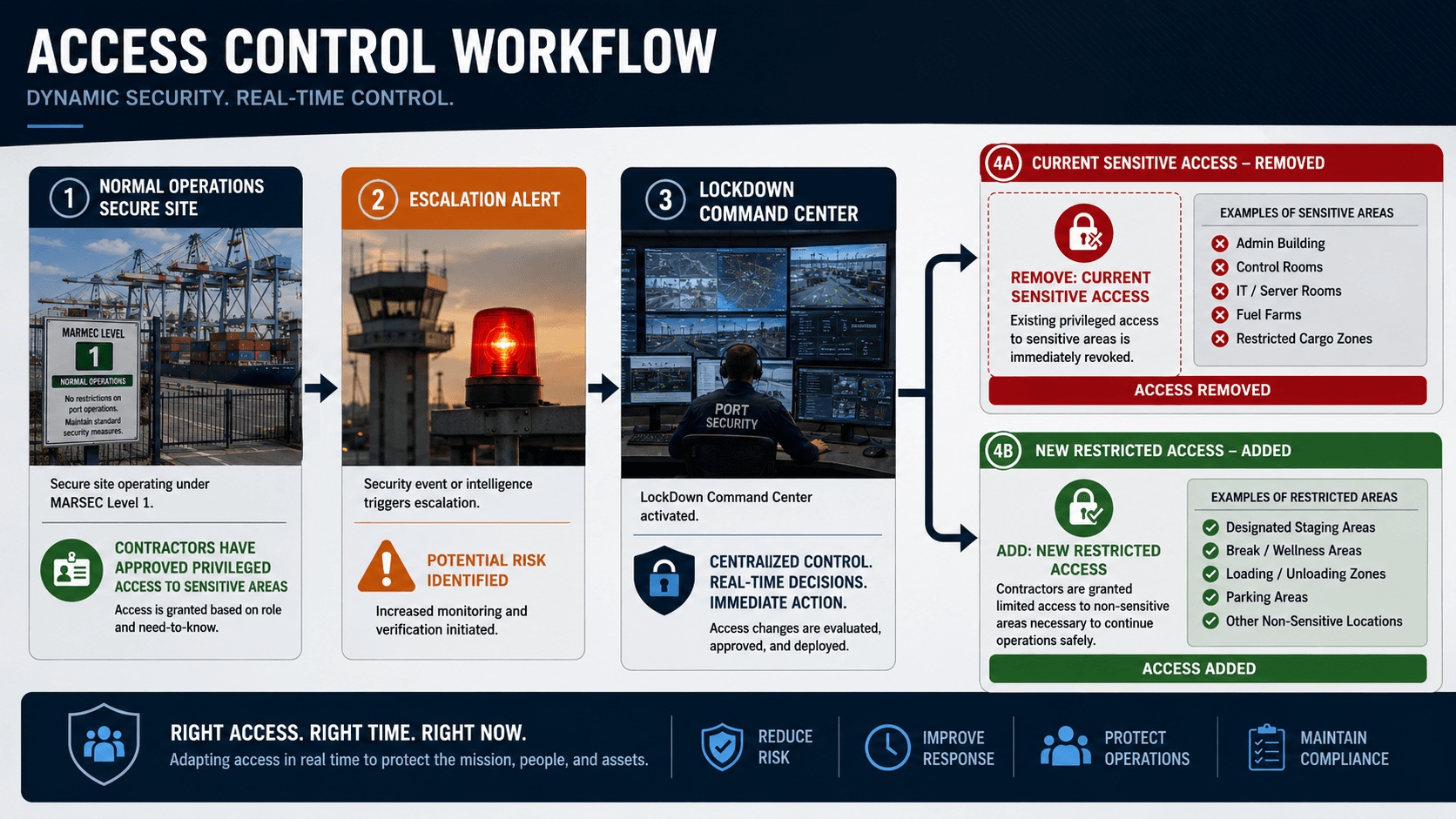
Access control workflow diagram: normal operations to escalation alert to lockdown command center, with access removed and new restricted access assigned by badge type
Lockdown Command Center — Access Control Workflow

Dedicated Trigger Workflow

Start Lockdown From a Controlled Event

Use a dedicated badge scan or authorized dashboard command as the operational trigger.

Sites can map a specific reader, badge, event, or command action to a defined escalation workflow while keeping internal access-control credentials isolated.

  • Dedicated lockdown badge scan at an approved reader
  • Authorized dashboard execution by named operator
  • Trigger-to-rule mapping with validation
  • Clear separation between trigger event and access-control execution
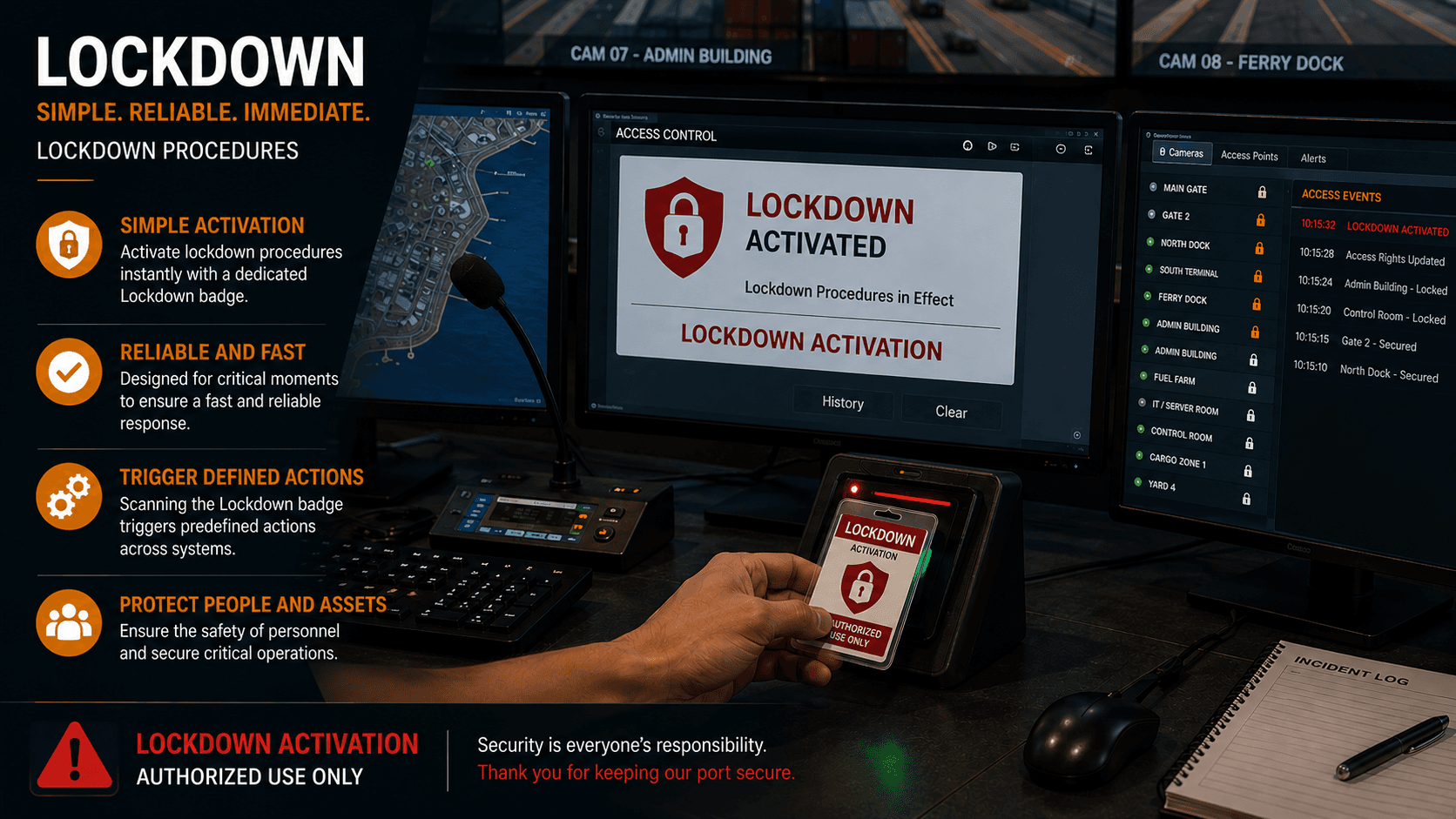
Lockdown Command Center dashboard displaying lockdown activated status with access control console, camera feeds, and badge reader in active use
Lockdown Command Center — Dedicated Trigger Workflow
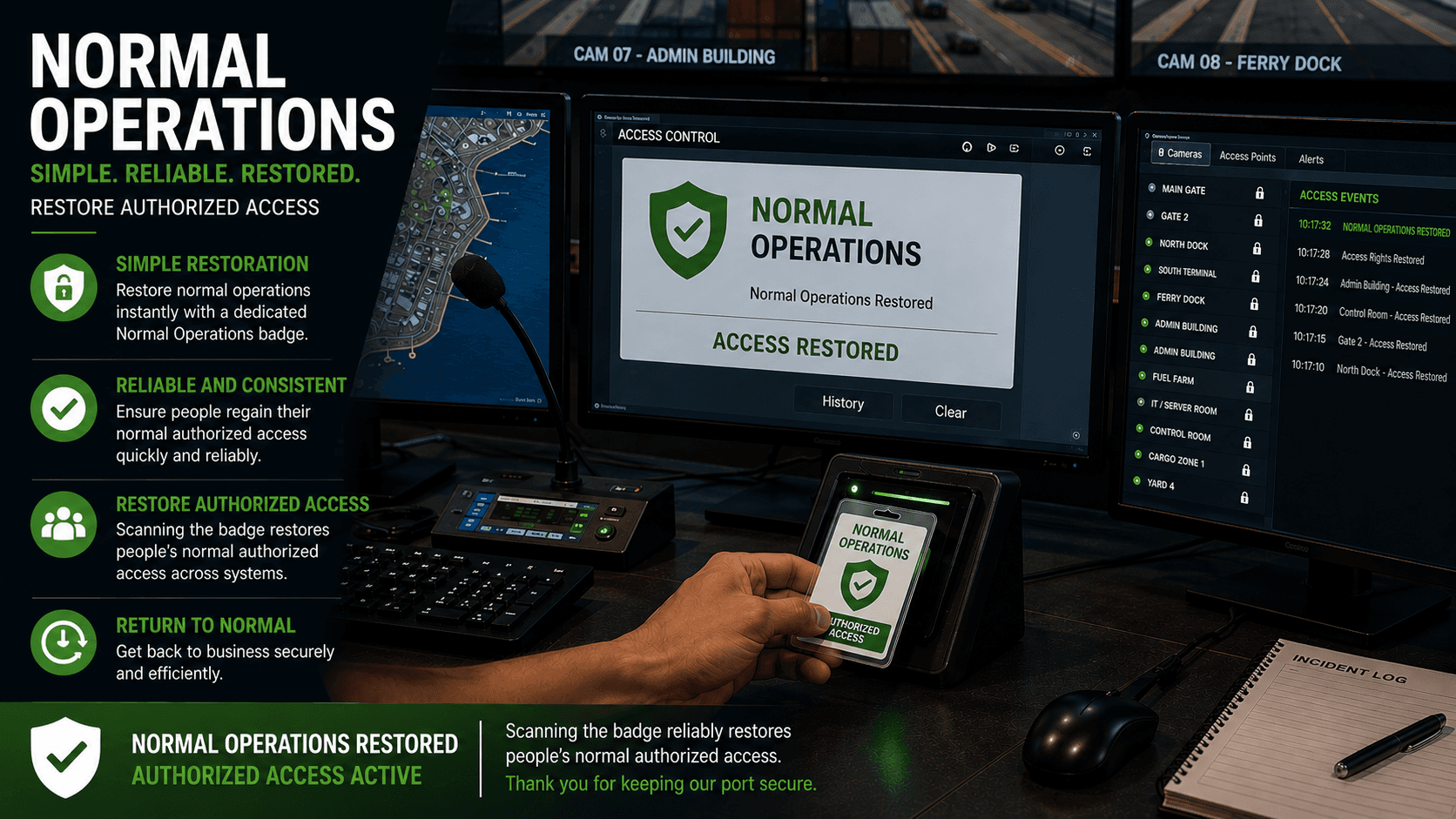
Lockdown Command Center dashboard showing normal operations restored status with access control system confirming authorized access is active
Lockdown Command Center — Restore Normal Operations

Restore Normal Operations

Return Access Without Guesswork

Restoration is just as important as lockdown.

After the threat is cleared, authorized operators execute approved restore rules that return badge populations to their normal access posture. Every restore action is logged and verifiable.

  • Restore previous access levels by badge type
  • Validate completion status before closing the event
  • Maintain full event history from trigger to restoration
  • Reduce lingering access mistakes after emergency response

Audit and Compliance

Prove What Happened

Every emergency access action needs defensible records.

Lockdown Command Center logs who initiated the event, what rule executed, which badge types were affected, how many badges changed, and whether the process completed successfully.

  • Trigger history with user attribution and timestamp
  • Rule execution logs per badge type and access group
  • Badge count summaries for each rule run
  • Completion and exception reporting for every event
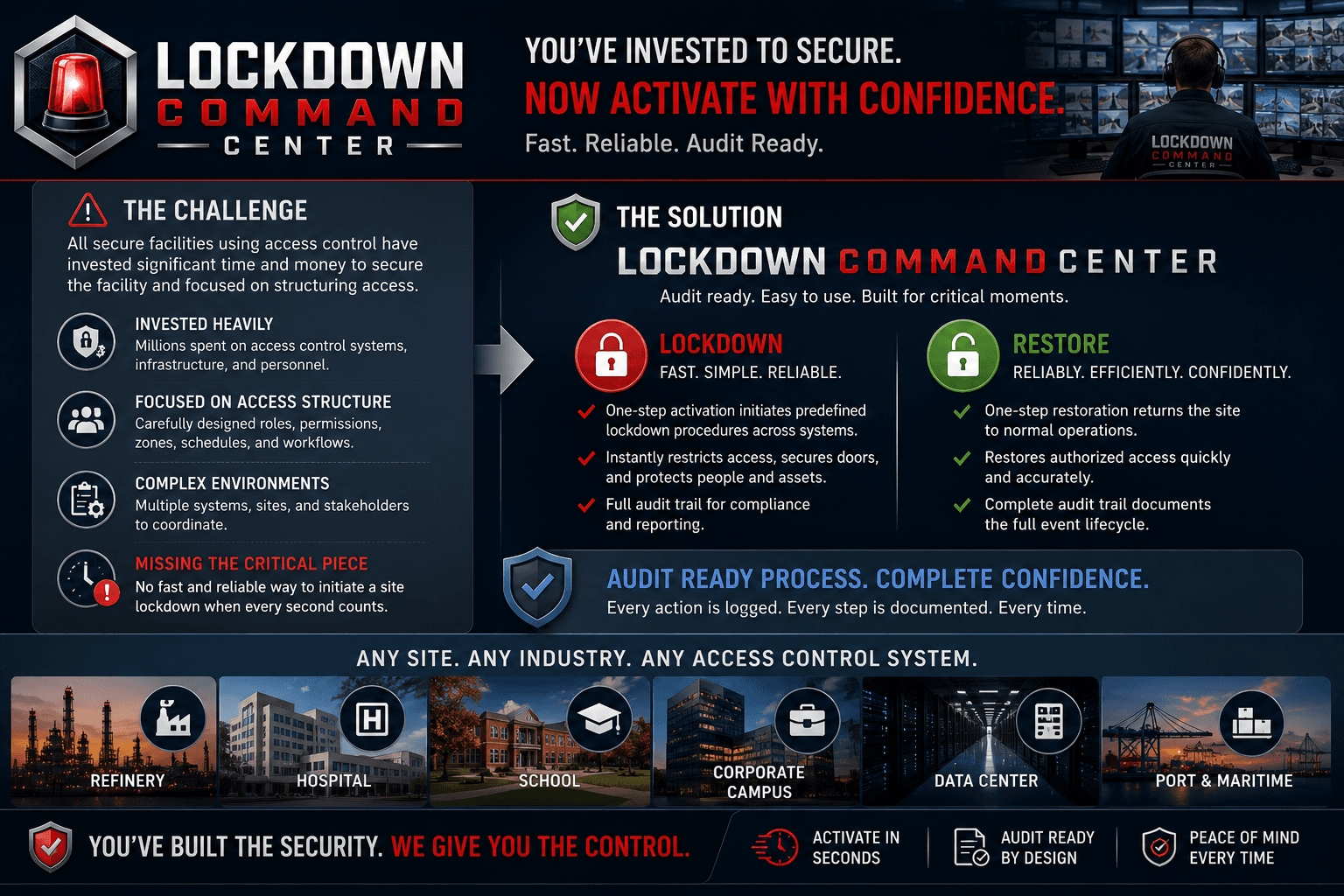
Lockdown Command Center overview showing challenge, lockdown and restore capabilities, audit-ready process, and supported industries including refinery, hospital, school, corporate campus, data center, and port
Lockdown Command Center — Audit and Compliance

Security Architecture

Built For Secure Facility Operations

Lockdown Command Center is designed around the constraints of regulated, high-security environments where every access change is subject to compliance scrutiny and operational accountability.

  • Quick response and reliable activation of lockdown protocols.
  • Definable and deployable bulk-action deployment.
  • Definable escalation for MARSEC events.
  • Any situation in which you need to change mass badges at once can be programmed to activate with a single trigger.
  • Activation can be either a button on the dashboard or a dedicated activation badge scan.
  • A documented workflow for audits.

Platform Comparison

Lenel OnGuard vs. LockDown Command Center

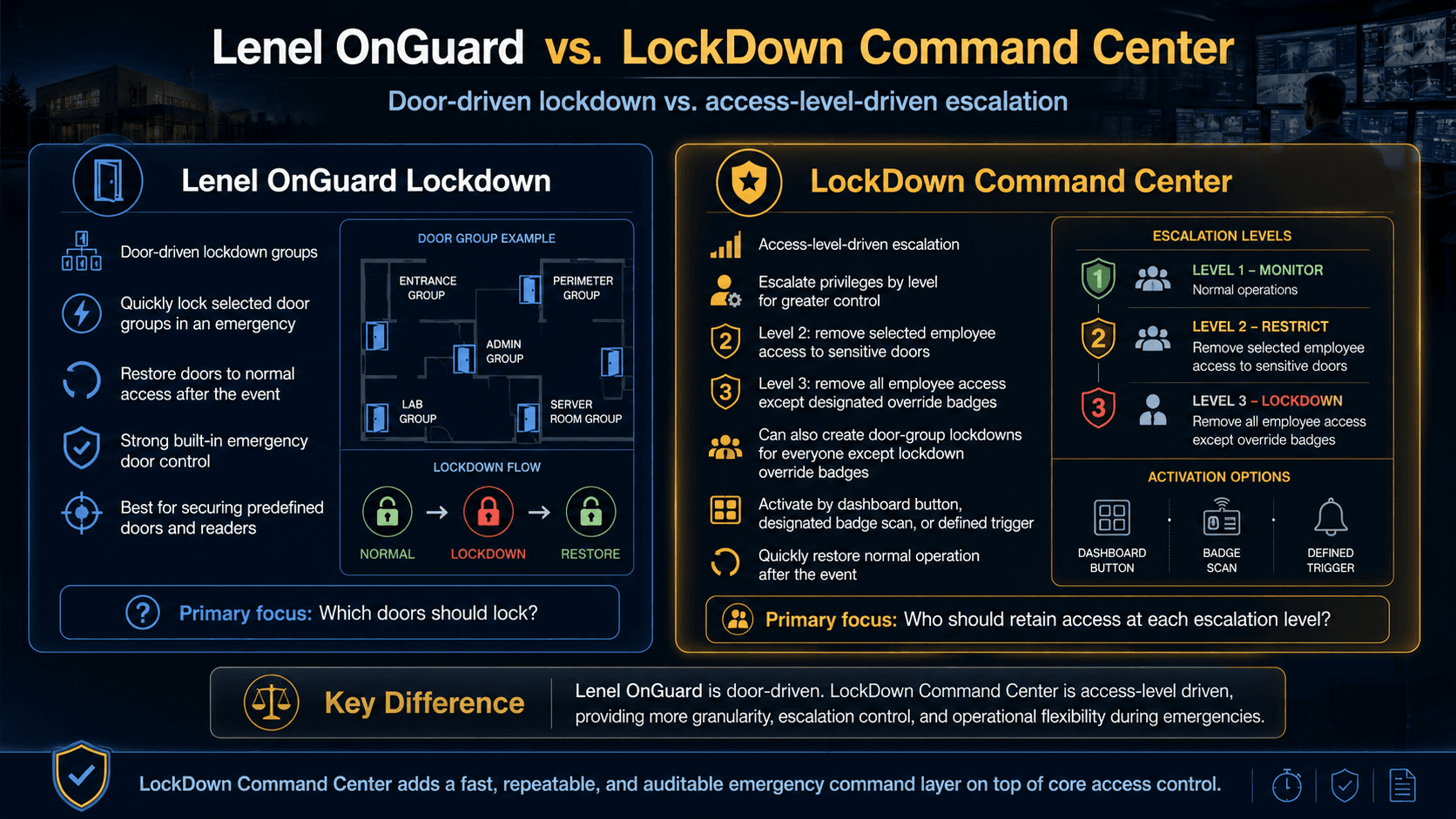
While Lenel OnGuard has a capable lockdown mechanism based on door groups, LockDown Command Center gives you greater control and granularity through access-level-driven escalation and a dedicated lockdown user interface.

Comparison infographic: Lenel OnGuard door-driven lockdown groups versus LockDown Command Center access-level-driven escalation with Level 1 Monitor, Level 2 Restrict, and Level 3 Lockdown, activation options, and key operational differences
Lenel OnGuard vs. LockDown Command Center — Door-driven lockdown vs. access-level-driven escalation

Industries Served

For Any Facility With Structured Access Control

Any site that already depends on access control can benefit from a fast, reliable, auditable way to execute emergency access changes.

Refinery / Petrochemical Facility

MARSEC-level escalation with badge-type-aware access changes across multiple zones and large contractor populations.

Port / MARSEC Facility

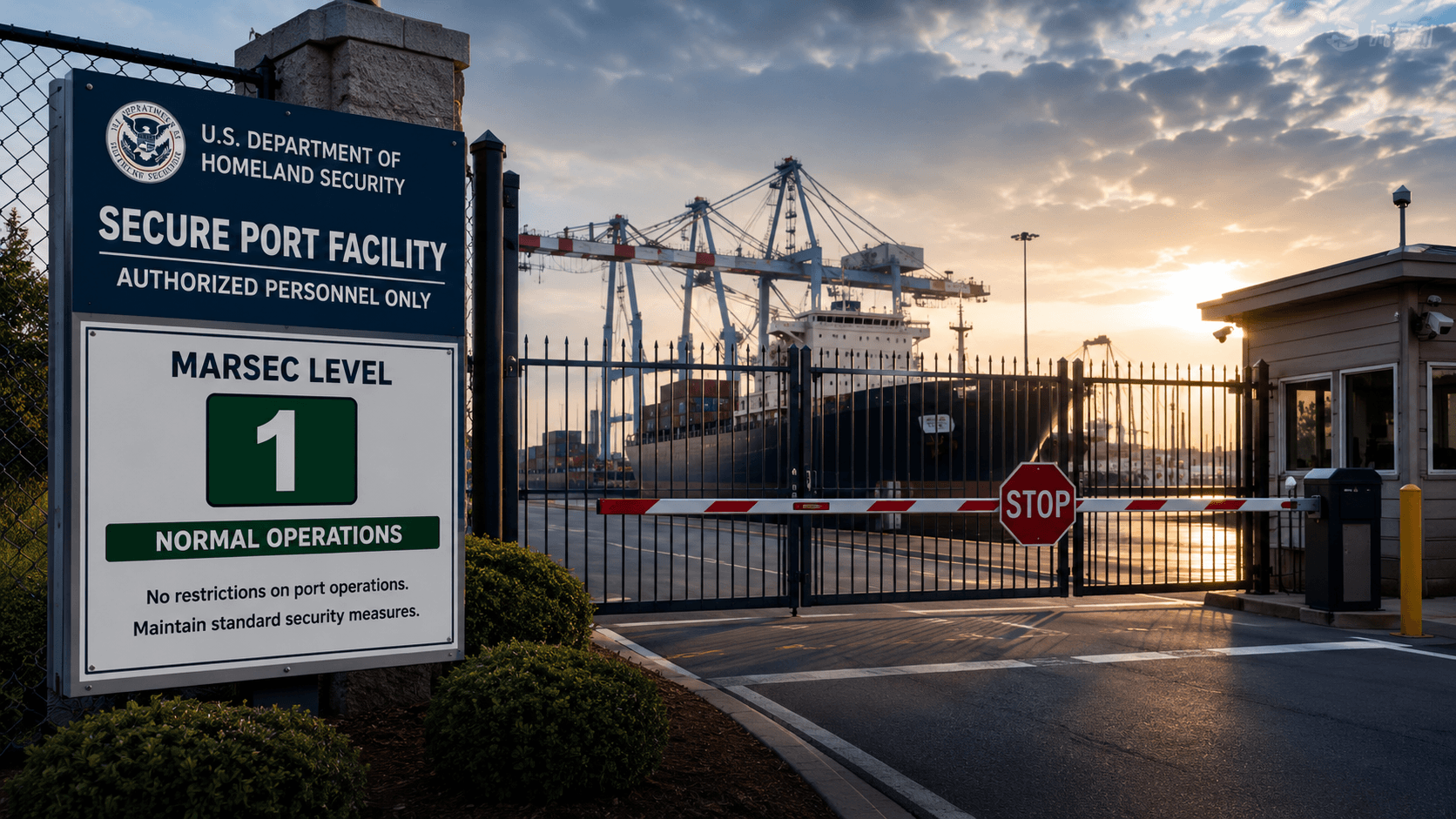
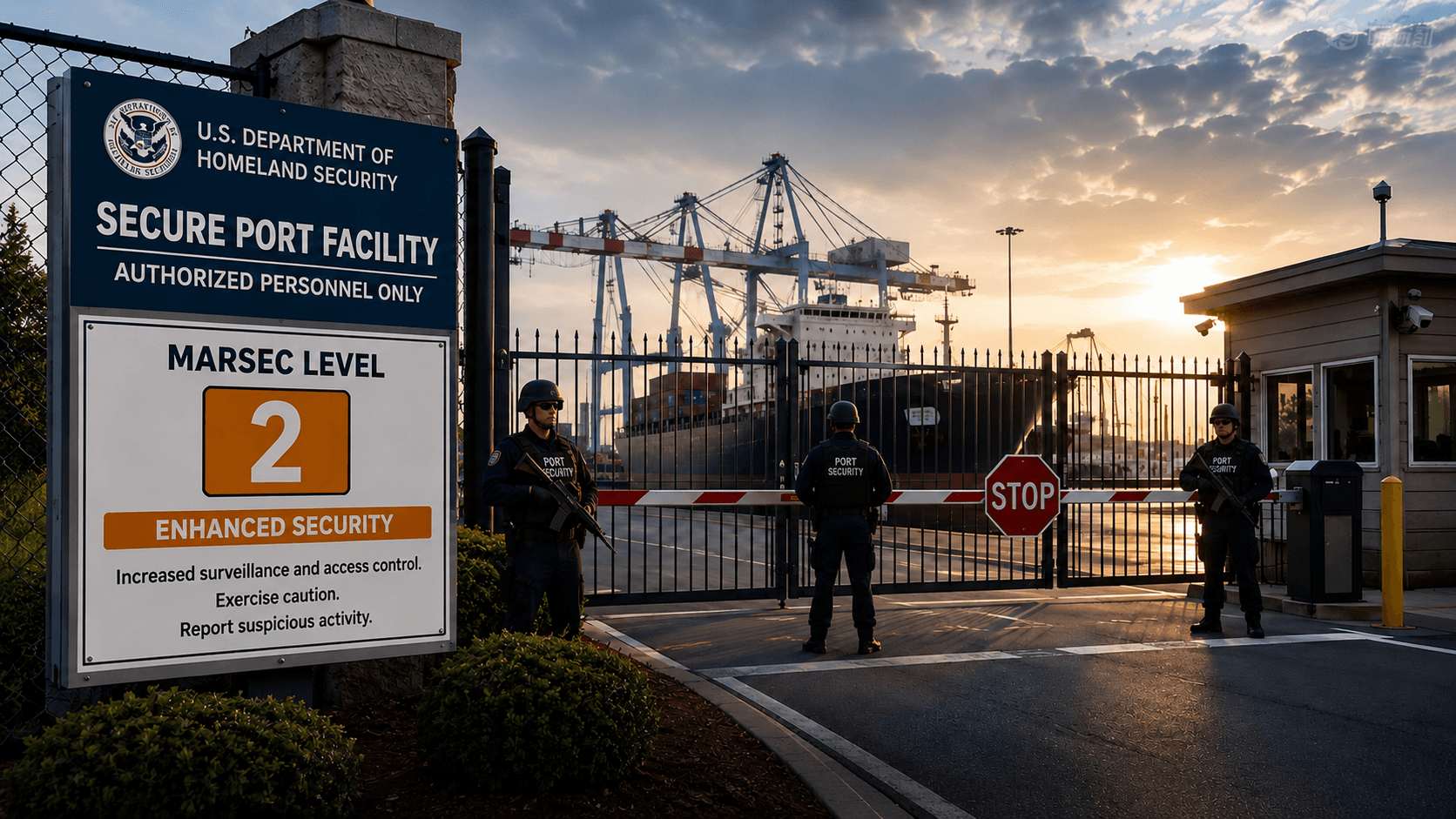
Coast Guard regulated sites requiring rapid MARSEC 2 or MARSEC 3 access posture changes with documented compliance records.

Hospital

Multi-building campuses with separate access zones for staff, contractors, vendors, and visitor populations during emergency events.

School / Campus

Distributed buildings with varied personnel types needing immediate lockdown access changes and reliable, verifiable restoration.

Corporate Security Facility

Multi-tenant campuses requiring badge-type-aware lockdown rules separate from normal business access controls.

Industrial Contractor Site

High contractor-turnover sites where correct access posture during emergencies depends on rule-driven automation, not manual updates.

Secure port facility at MARSEC level 1 normal operations — authorized personnel gate with cranes and vessel in background
Secure port facility at MARSEC level 2 enhanced security — armed personnel at contractor gate with badge screening in effect
MARSEC Level 1 — Normal OperationsMARSEC Level 2 — Enhanced Security