 Elevated Dynamics
Admin Pages
Platform Controls
Configure customers, jobs, employees, roles, workflows, and operational rules.
Admin pages give authorized teams the controls needed to configure JobIQ around customers, jobs, employees, roles, and operational rules. These pages support secure setup, ongoing maintenance, and audit-friendly administration.
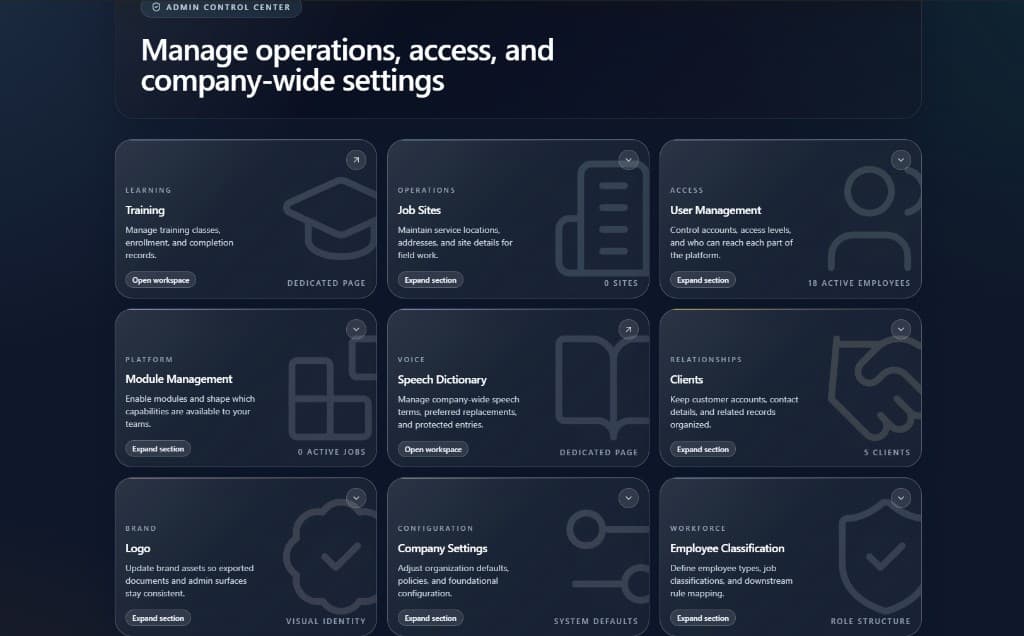
Core capabilities
- Multi-tenant structure
- Role-based access control
- Customer configuration
- Job setup
- Employee management
- Audit-friendly administrative controls
How it works
- 01
Configure customers, jobs, sites, employees, and role-based access permissions.
- 02
Maintain operational rules that shape scheduling, training, timekeeping, and approval behavior.
- 03
Use administrative controls to manage platform setup as teams and customers grow.
- 04
Preserve administrative activity in a structure that supports review and accountability.
Operational value
- Keeps platform configuration organized as operations scale.
- Protects sensitive data through role-aware access patterns.
- Gives administrators clearer control over jobs, employees, customers, and workflows.