GateKeeper logo: a bronze knight holding a key over a gate, in front of a castle

GateKeeper: Pending Dashboard

First review point for submitted badge requests. When a company submits a badge request, it lands on the Pending Dashboard. Approvers can review the request, approve it, reject it, or request corrections before badge processing begins.

At a glance
  • See newly submitted requests first
  • Review details before approval
  • Keep incomplete work organized
  • Move approved work into processing

From submission to decision

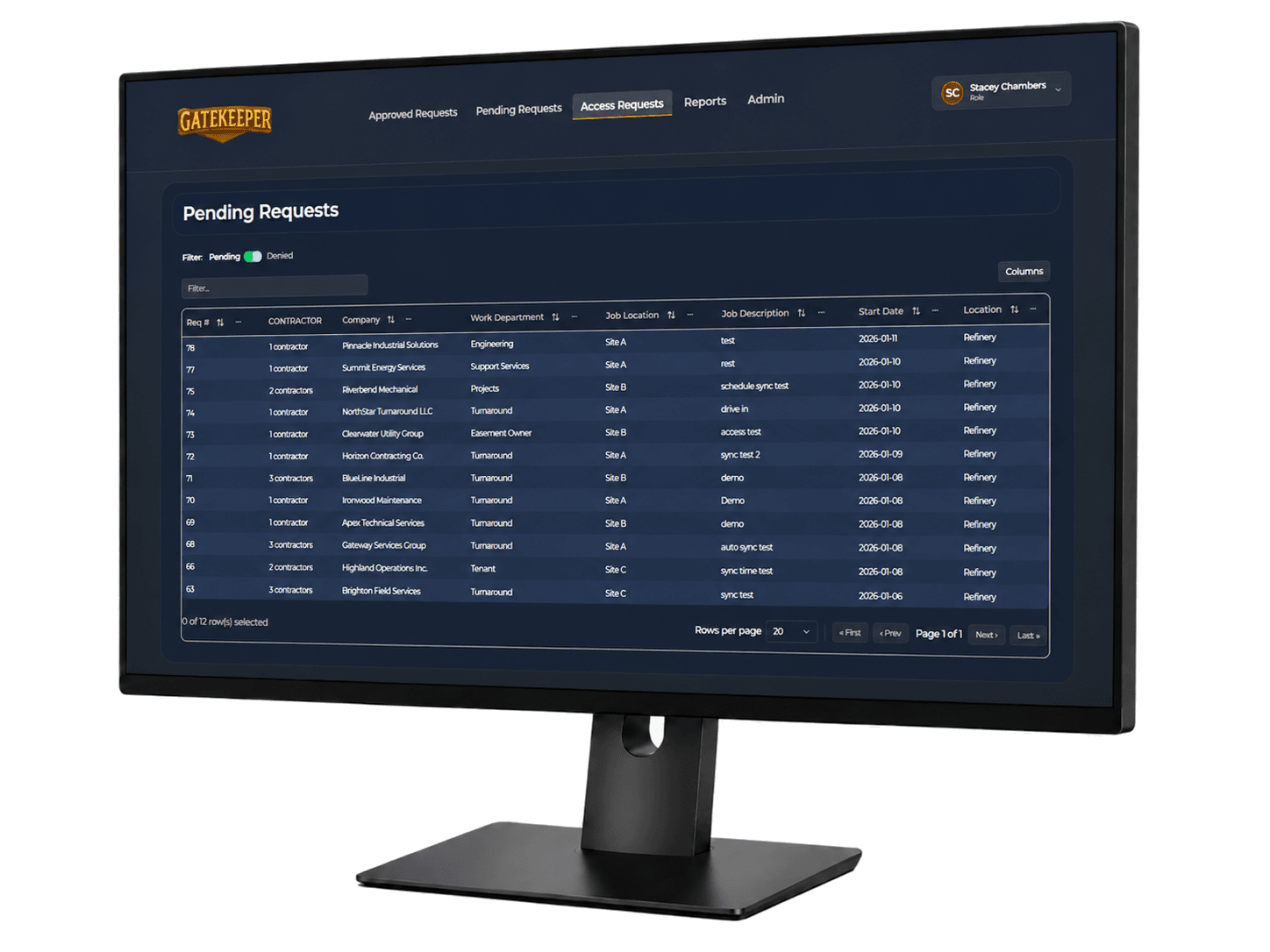
GateKeeper pending requests console

Pending request intake

Pending dashboard

The pending queue keeps new requests visible and easy to triage.

  • View newly submitted badge requests
  • See company and employee information
  • Review request details before approval
  • Identify incomplete or incorrect requests
  • Keep pending work organized in one dashboard

Approver notification

Pending dashboard

Approvers need clear alerts and a quick path back to the console or supported email action.

  • Notify the responsible approver when action is needed
  • Allow approval from the email message when supported
  • Allow approvers to log into the console to review details
  • Capture the approval decision
  • Move approved requests to the processing queue

Controlled decision process

Pending dashboard

Every decision stays documented so the workflow remains reviewable later.

  • Approve valid requests
  • Reject invalid requests
  • Return requests for correction
  • Preserve comments and timestamps
  • Keep approval history auditable

Use the pending dashboard to review work before it reaches badge processing.

Pending review is the point where the facility controls quality, completeness, and authorization before any badge action starts.