GateKeeper logo: a bronze knight holding a key over a gate, in front of a castle

GateKeeper: Employee Badge Status

Manage contractor badge readiness. The employee page lets companies view their employees, badge status, expiration dates, site requirements, and training expiration information so they can act before access becomes a problem.

At a glance
  • See employee badge readiness at a glance
  • Spot expiration risk before work is interrupted
  • Keep training and site requirements visible
  • Start badge requests from employee records

What company users can see and do

Placeholder for employee status list

Employee badge visibility

Employee badge status

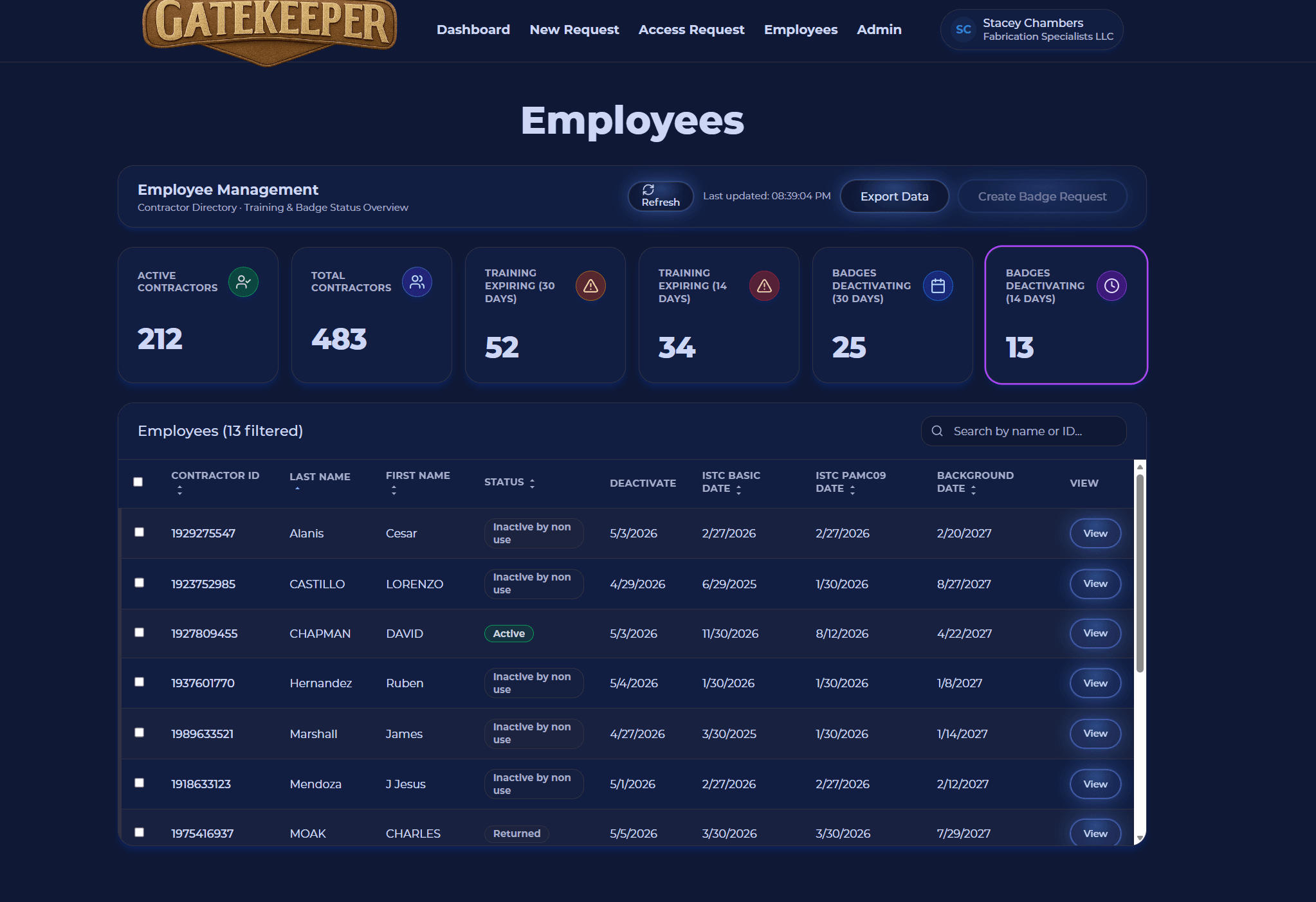
The employee list gives companies one place to review who is ready, who needs action, and where a worker is assigned.

  • View all employees associated with the company
  • See badge status
  • See badge expiration dates
  • See assigned site
  • Review site-required training status
Placeholder for training expiration timeline

Training and expiration awareness

Employee badge status

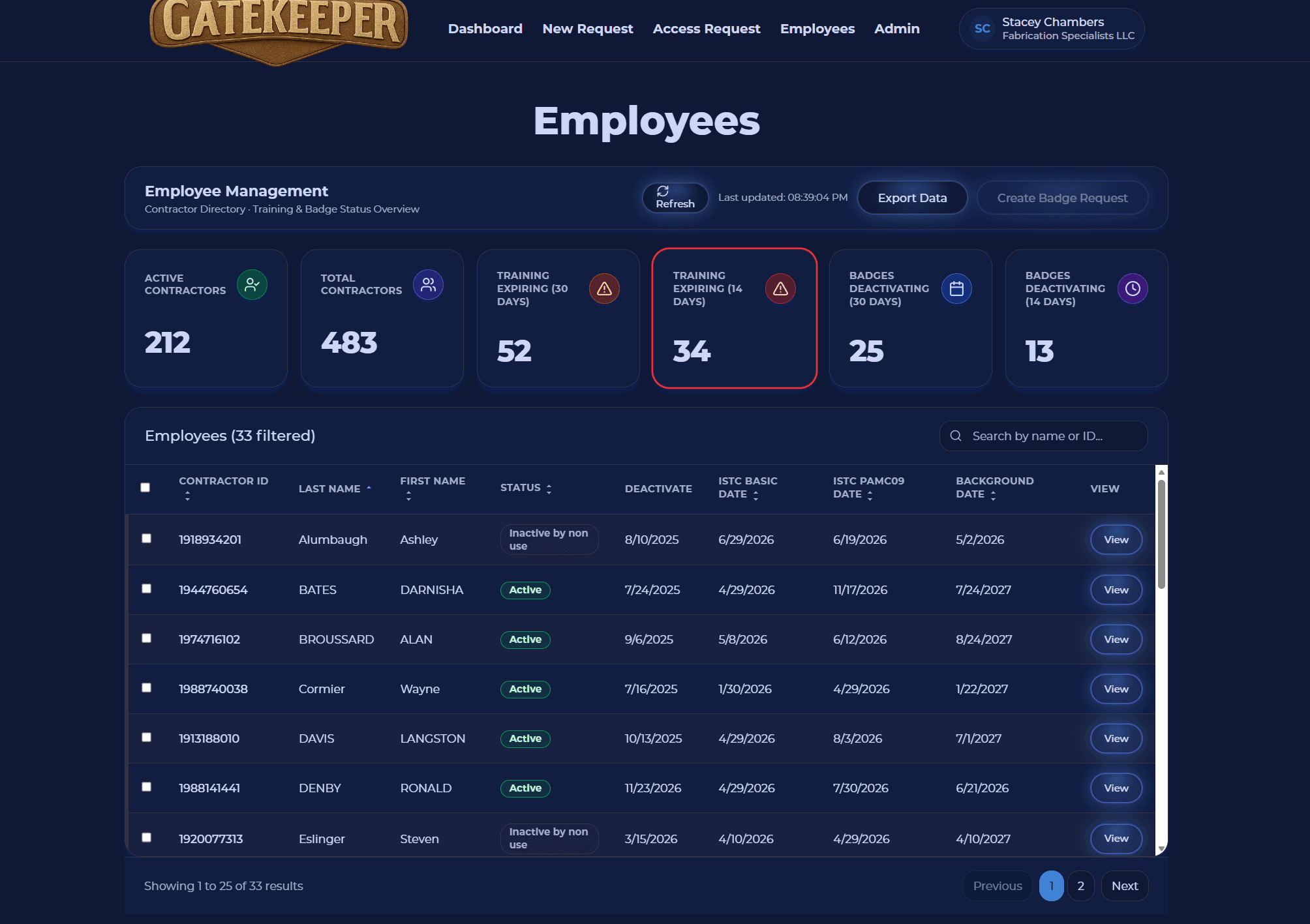
Proactively prepare training in order to keep contractors ready for assignments

  • Identify training that is expired or nearing expiration
  • Identify badges that need renewal
  • Reduce day-of-work access problems
  • Help supervisors prepare employees before arrival
  • Improve workforce readiness
Placeholder for bulk employee request actions

Bulk badge request actions

Employee badge status

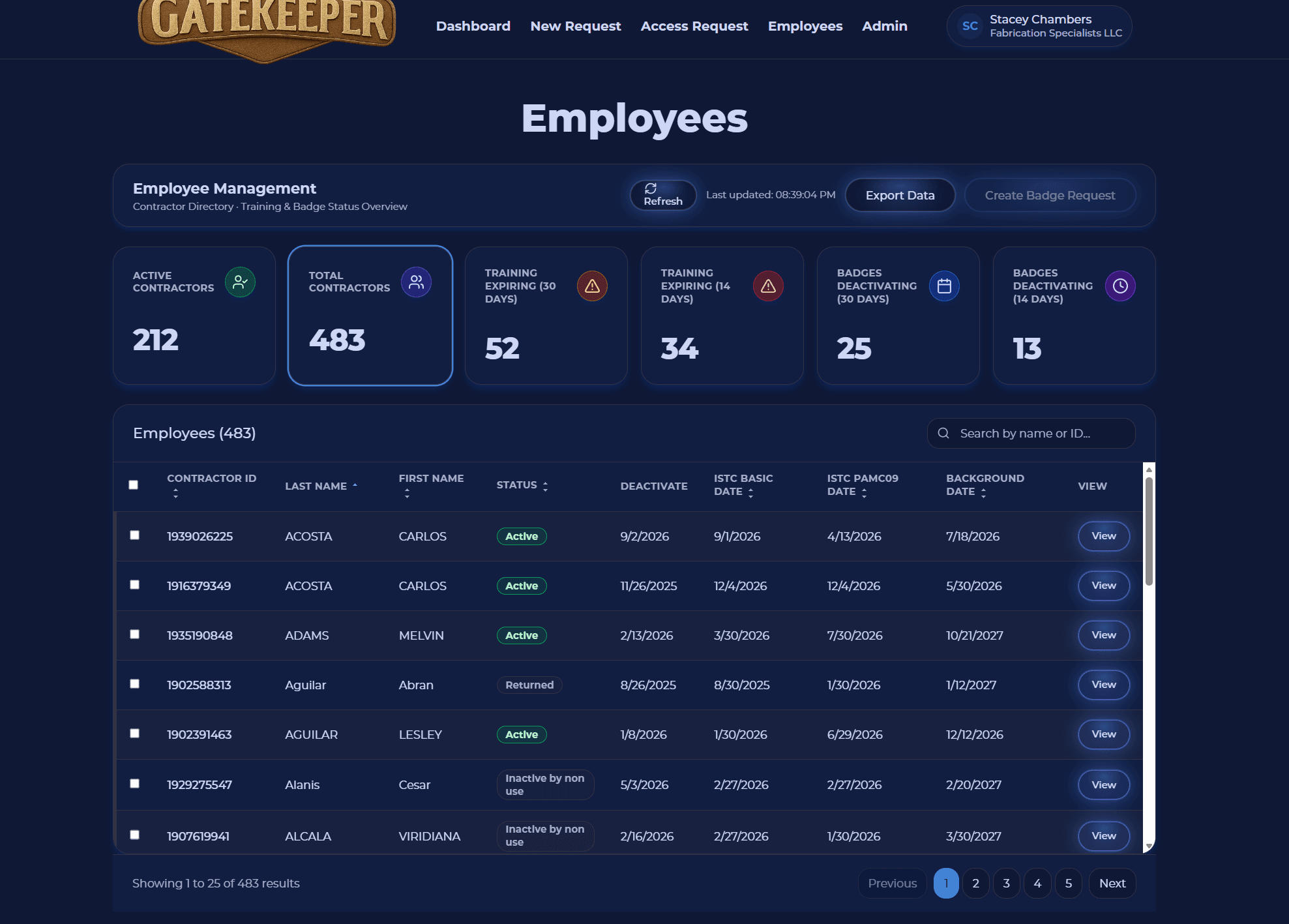
Select multiple employees and submit a badge request with a couple of clicks

  • Select one employee or multiple employees
  • Start a badge request from the employee list
  • Create requests in only a few clicks
  • Reduce duplicate data entry
  • Speed up company badge administration

Ready to see GateKeeper in your facility?

Tell us about your access control system and your badge process, and we'll walk through the workflow.